
GAEB DA XML 3.3
GAEB DA XML 3.3 as well as older formats such as GAEB 2000 and GAEB 90 are fully supported.
You can download GAEB-Online 2025 here free of charge and try it out at your own pace. GAEB-Online 2025 can be ordered online for just EUR 120 – one-off purchase, no subscription.
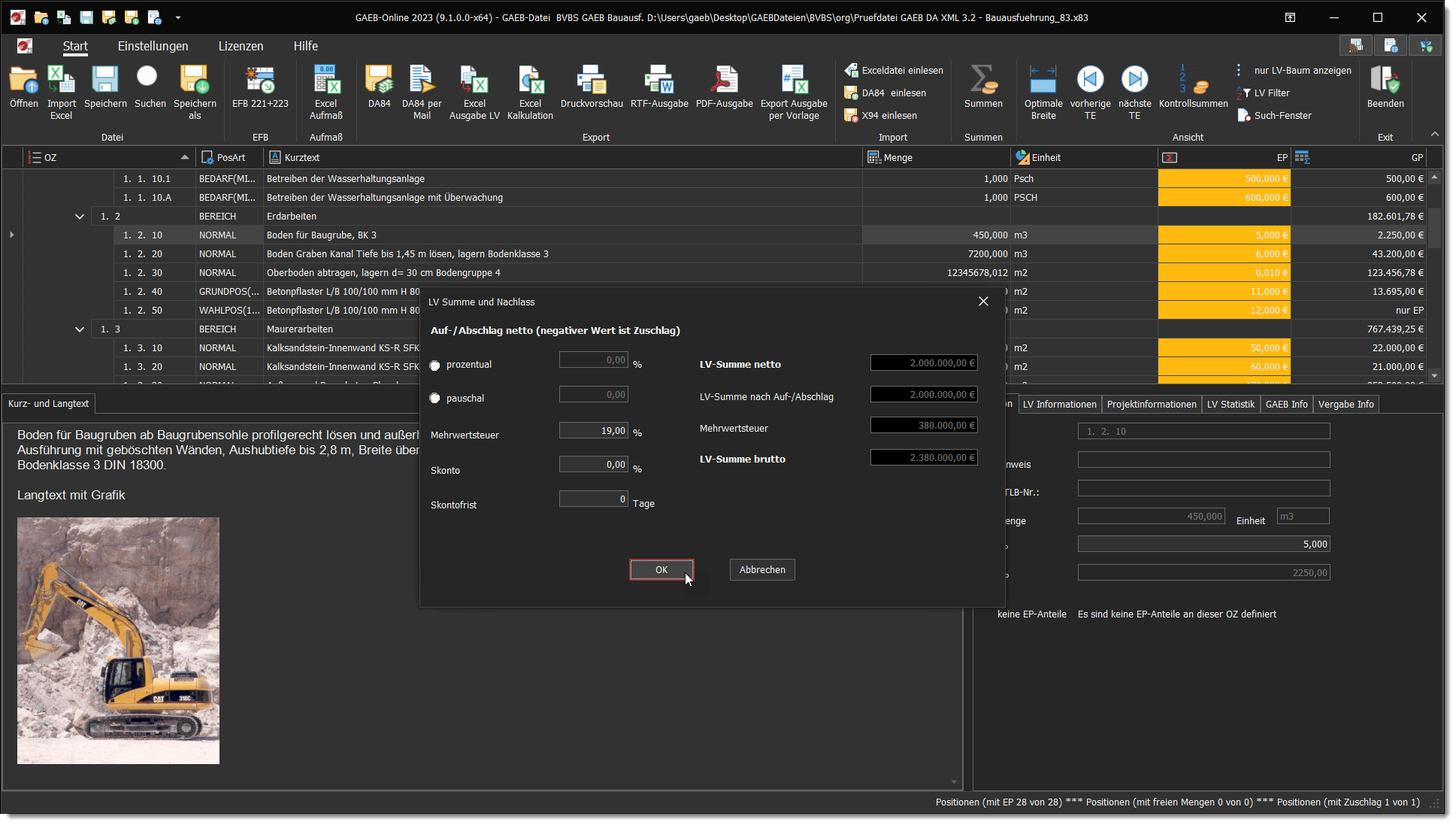
GAEB DA XML 3.3 as well as older formats such as GAEB 2000 and GAEB 90 are fully supported.
Digitally sign bids (PDF with text form or certificate) and send them directly as DA84 by e-mail to the client – all from within GAEB-Online 2025.
All service updates within the 2025 software generation are included free of charge for licence holders.

If you are looking for software that helps you create bids, GAEB-Online 2025 is exactly the right choice. For more than 20 years we have been helping our customers prepare bids and deliver them safely to their clients.
With GAEB-Online 2025 you have everything you need to create bids quickly and easily. Thanks to the intuitive user interface and the many integrated functions, you can edit GAEB files, calculate prices and submit them as a PDF, DA84 or XRechnung with no effort.
For everyone who wants to use GAEB together with Microsoft Excel® or a free Office package such as OpenOffice® in the most efficient and convenient way, GAEB-Online 2025 is the ideal solution.
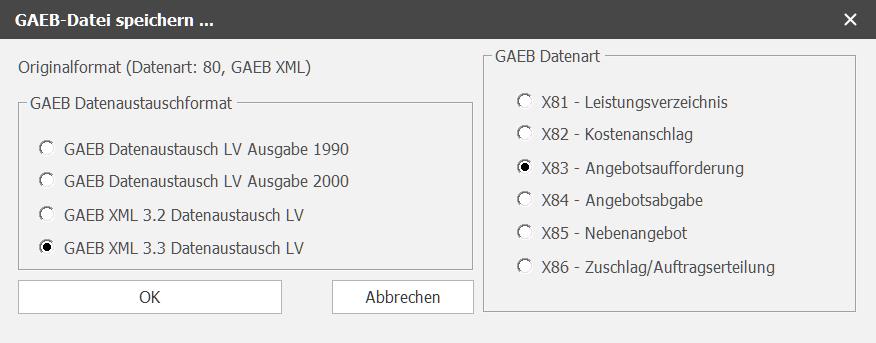
With GAEB-Online 2025 you are at the cutting edge of GAEB technology. Thanks to the latest GAEB toolbox, GAEB-Online 2025 lets you work seamlessly with the advanced version GAEB DA XML 3.3 as well as with all older versions.
If your clients still need the GAEB file in the format GAEB DA XML 3.2, you can simply save the file in this or other older GAEB formats.
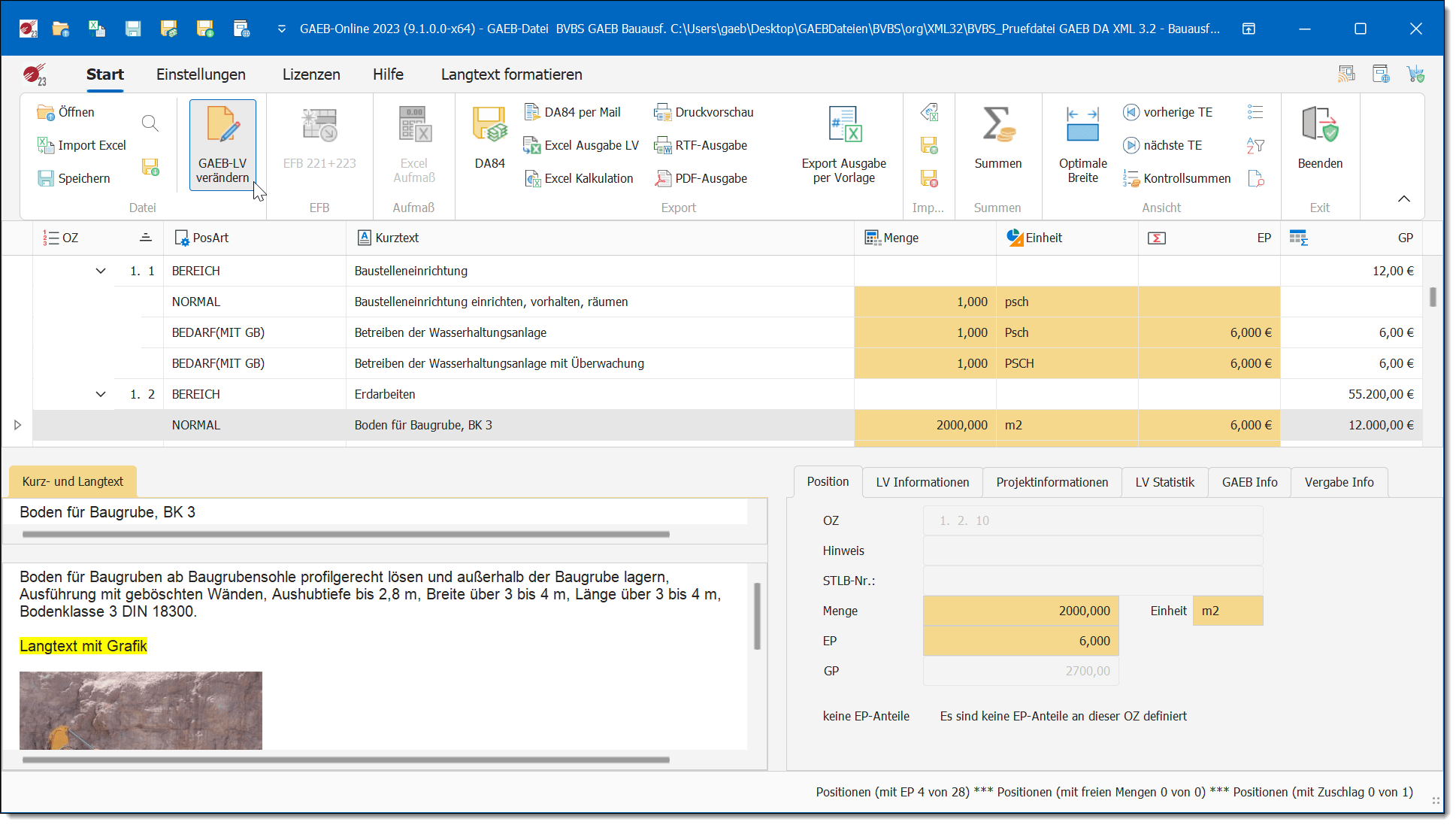
With GAEB-Online 2025 you can edit GAEB files conveniently right inside the program and save the changes as a new GAEB file. Simply open a GAEB file and switch to edit mode.
The integrated BoQ filter shows only the relevant items in seconds. That saves a lot of time when working with large bills of quantities.
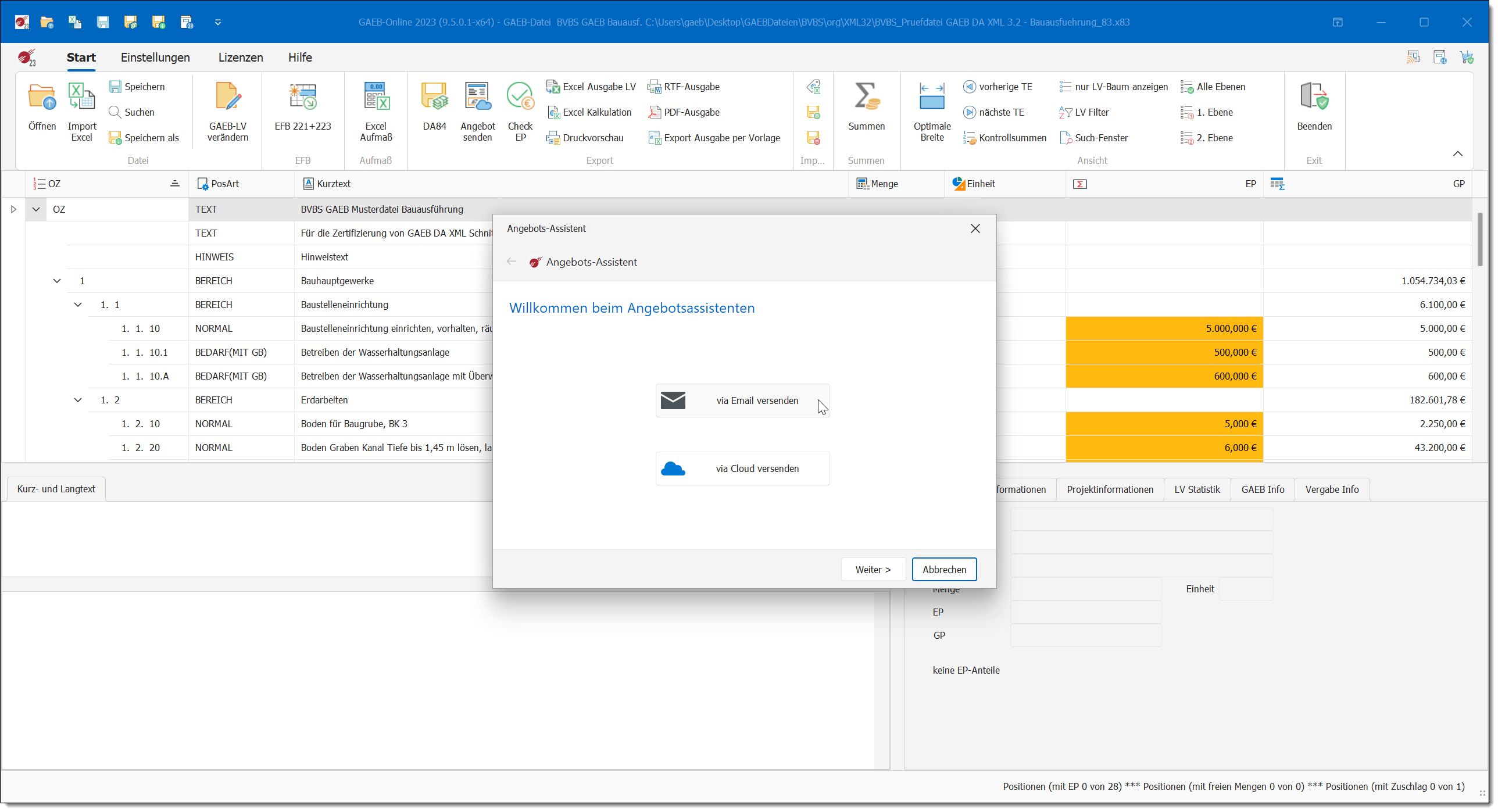
Would you like to create your bids quickly and easily as a PDF file? With GAEB-Online 2025 you can decide whether your bid will be issued as plain text or additionally with your digital signature.
Using the Bid Assistant, you can generate a bid as a PDF or GAEB DA84 and distribute it directly by e-mail or via Microsoft OneDrive link.

With the Excel EFB Calculation add-on, GAEB-Online 2025 automatically generates an Excel file matching your bid that contains the EFB 221 and EFB 223 forms. Data captured in GAEB-Online 2025 is transferred to the EFB forms automatically.
Working with GAEB-Online 2025 – the following features give you decisive advantages.
Fresh Windows 11 interface with a BoQ structure tree for fast navigation.
Combine complex search criteria within the BoQ – find every item that matches your requirements.
Graphical analysis of item types right when opening a file – ideal for large bills of quantities.
Filter the BoQ by any criteria in seconds – for example by short text or STLB-Bau numbers.
Highlight BoQ items by rules – just like you know it from Excel.
Select items and paste them straight into Word, Excel or Outlook with Ctrl+C/Ctrl+V.
Create Excel price requests for material suppliers, send them out and re-import the prices.
Split the BoQ into Excel partial packages and send them to subcontractors for price quotes.
Take prices from DA84 files (.D84 / .P84 / .X84) into an open GAEB BoQ.
Import prices from supplier price quotes (X94 and P94) into a GAEB BoQ.
Calculation also possible in OpenOffice or LibreOffice instead of Microsoft Excel.
Export of a large GAEB tender to Excel or OpenDocument in just a few seconds.
Check and convert GAEB files via batch job – running silently in the background.
Automatic table of contents for the first two section levels when printing.
Automatically generated list of bidder declarations with all relevant items for public-sector clients.
Save your bid as a PDF with one click, optionally password-protected, and send it by e-mail.
Special version GAEB-Online 2025 TS for Microsoft Windows Server 2019 or higher.
When changing computers you can easily move the licence from the old computer to the new one.
Whenever you save GAEB tenders or generate an electronic bid as DA84, your inputs are validated. GAEB-Online 2025 checks whether all relevant prices, mark-ups and so on have been entered.
Graphics, different fonts and formatting as well as tables and bullet lists in long text – as supported by GAEB 2000 and GAEB DA XML – are displayed and printed by GAEB-Online 2025.
With the Excel measurement add-on for GAEB-Online 2025 you create measurements in Excel and export them as DA11, GAEB X31 or as an invoice in GAEB X89. Many clients now require electronic measurements according to REB 23.003.
With the Excel EFB Calculation add-on a matching Excel file containing the EFB 221 and EFB 223 forms is generated automatically based on your underlying calculation.
GAEB-Online 2025 works with Excel templates. This means: you create Excel files according to your own ideas, and GAEB-Online 2025 fills in the complete BoQ data and all calculation fields.
The GAEB-to-Excel interface in GAEB-Online 2025 offers a user-friendly and effective way to process tenders. GAEB files can be imported into Excel, calculated and exported back as DA84 with no effort.
If you would like to work on GAEB tenders both in the office and on your laptop while travelling, GAEB-Online 2025 USB is the ideal solution. GAEB-Online 2025 USB is delivered on a USB stick and runs on any Windows PC.
More about GAEB-Online 2025 USB →
For GAEB-Online 2025 there is also a special terminal server edition called GAEB-Online 2025 TS for Microsoft Windows Server 2019 or higher. The solution consists of the GAEB-Online 2025 application and a licence management component.
More about GAEB-Online 2025 Terminal Server →
GAEB-Online 2025 fully supports all GAEB exchange phases – from the description of services to cost estimate, request for quotation, bid submission and alternative bid.
Folgende Produkte werden in den Warenkorb gelegt. Den Kauf wickeln wir über unseren Zahlungsdienstleister FastSpring ab.
Diese Version ist abgekündigt (EOL) und wird nicht mehr unterstützt. Möchten Sie diese trotzdem laden?
Diese Demoversion ist von uns digital signiert und frei von Schadsoftware.
Sollte Ihr Virenscanner sie fälschlicherweise als Bedrohung melden, legen Sie bitte eine Ausnahme im Virenscanner an – oder verzichten Sie auf den Download.
Gültig vom 23.04.2026 bis 23.05.2026
Aufgrund einer Systemumstellung können Zahlungen (Rechnung / Vorkasse) nur täglich nach 20 Uhr geprüft und bearbeitet werden. Wenn Sie Ihre Lizenzen schneller benötigen, nutzen Sie bitte den Kauf über unseren Partner FastSpring.
Wählen Sie, für wie viele GAEB-Online 2025 Arbeitsplätze Sie den KI-PreisNavigator testen oder buchen möchten. Sie können die Anzahl später jederzeit anpassen.
1 bis 99 Arbeitsplätze · 25 € netto/Monat je Arbeitsplatz
Vor der Weiterleitung zu unserem Zahlungsdienstleister FastSpring bestätigen Sie bitte:
Ohne Bestätigung beider Punkte ist keine Weiterleitung an FastSpring möglich.